Keyfleet Updates
V.1.3.11 What's new?

Rhay Ras
November 03, 2025

🚀 What’s New in KeyFleet
Online Booking Form
We’ve officially launched the Online Booking Form — a brand-new way for your renters to book vehicles easily and securely online!
🧭 How It Works
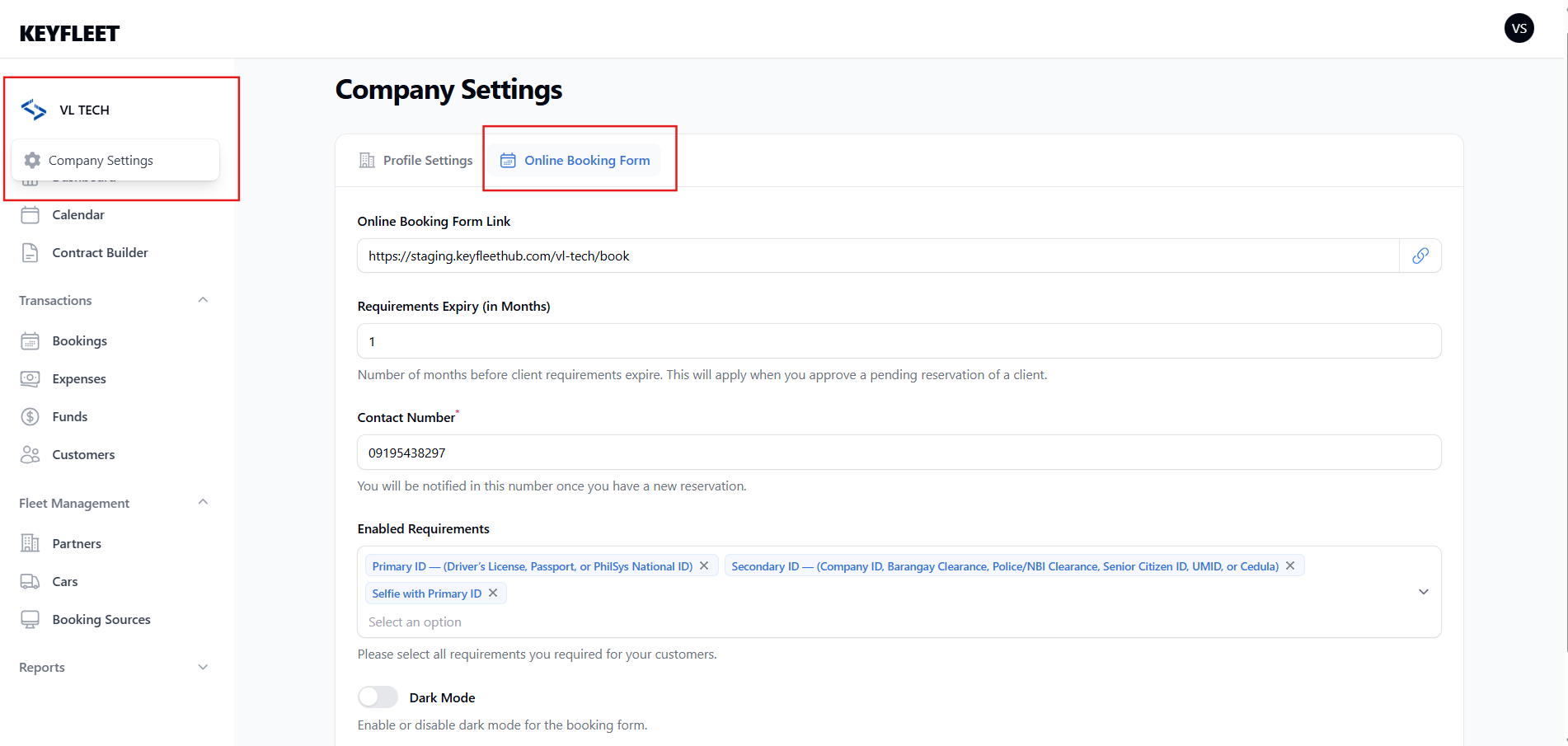
Before renters can use the form, operators need to set up a few things first:
- Enable the Online Booking Form in your Company Settings.
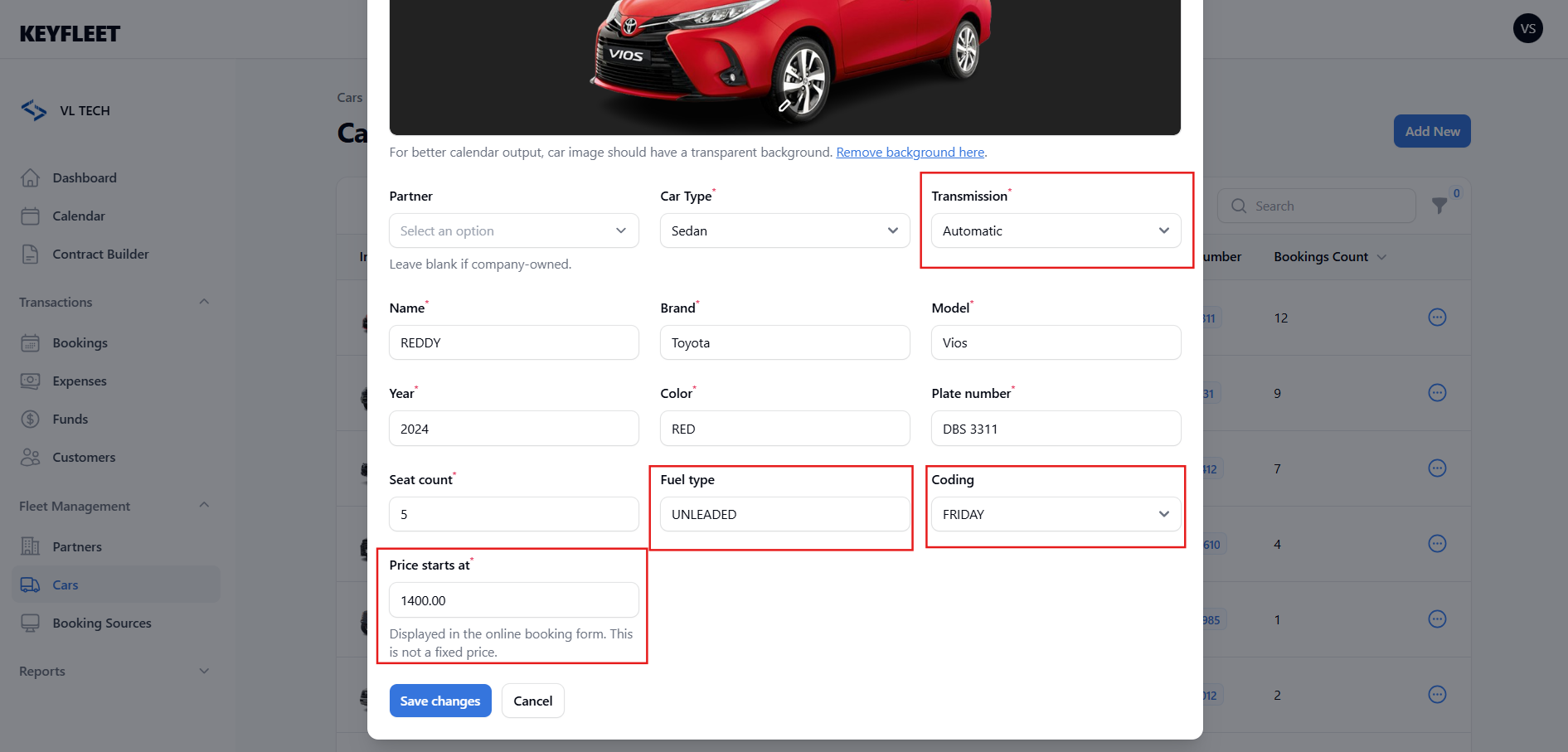
- Complete each car’s important details such as:
- Transmission
- Gas type
- Coding day
- Pricing starts at, etc.
These details will automatically appear in the booking form so renters can make informed choices.
📤 Uploading Requirements
Renters can now upload their booking requirements directly in the form — no more manual submissions!
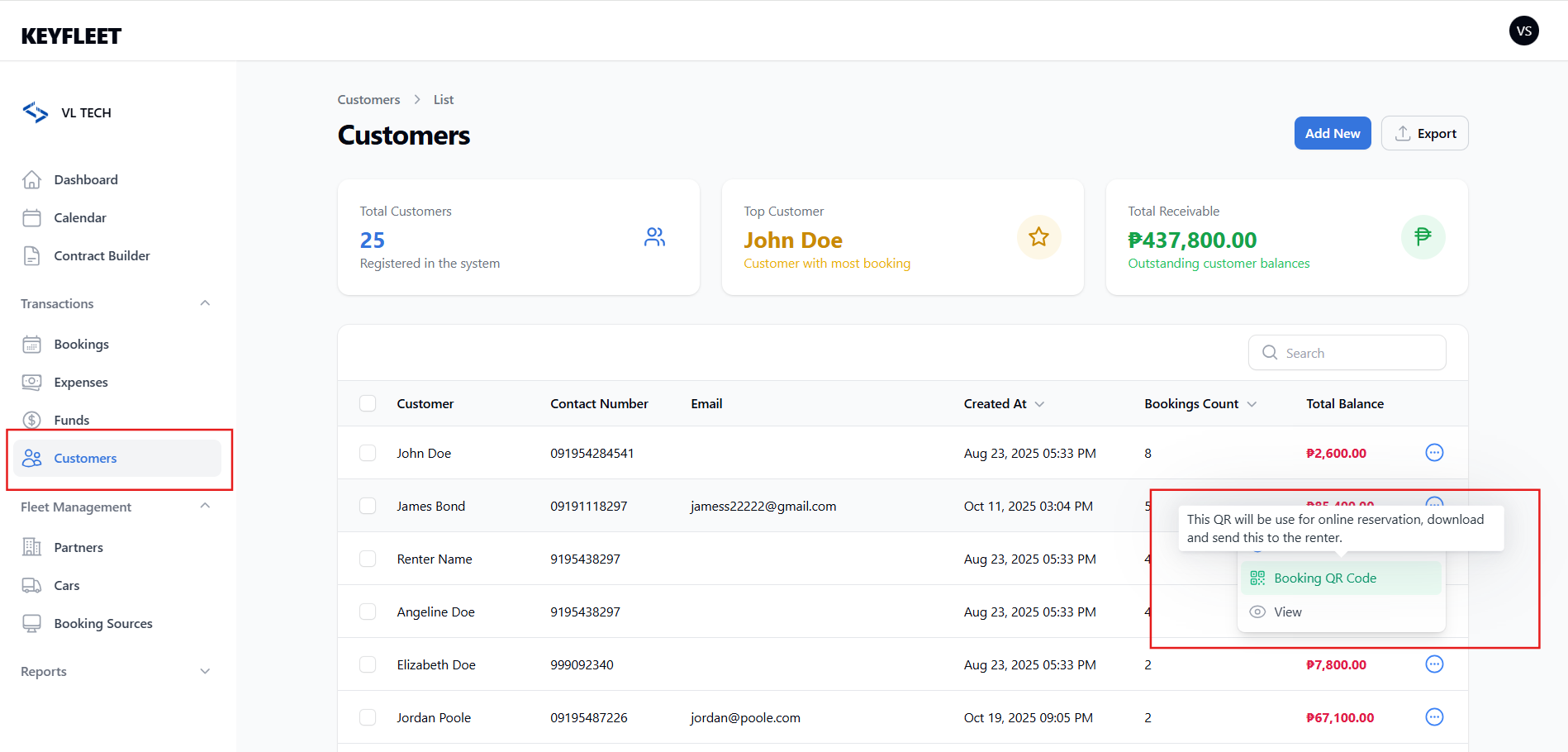
🧾 Booking QR ID
Each customer now has a Booking QR ID, downloadable via the Customer List page.
Operators should provide this QR to the renter.
For future bookings, renters can simply upload their QR, and the form will auto-fill their information (including previously uploaded requirements, if still valid).
🕓 Reservation Management
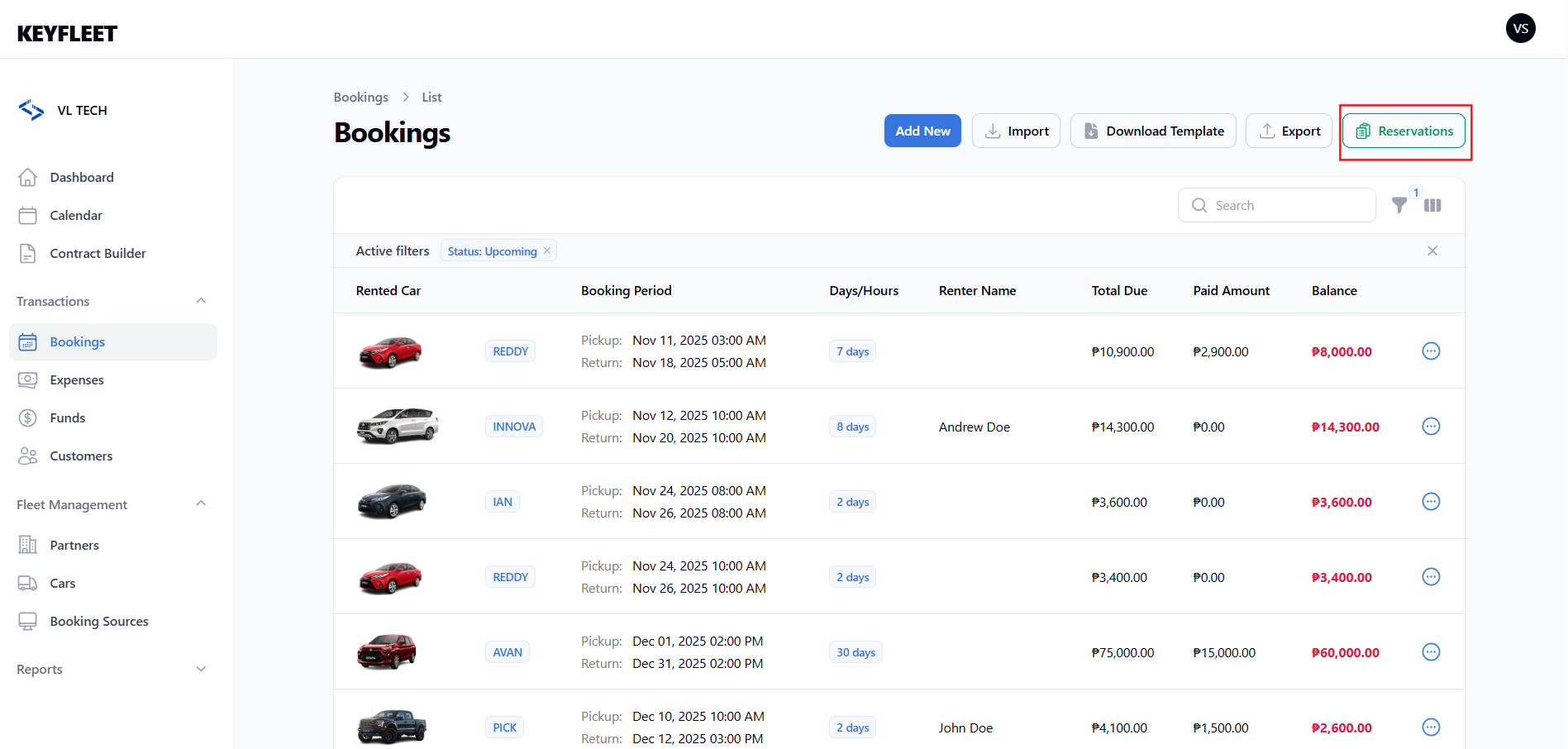
A new “Reservation” section has been added to the Booking page.
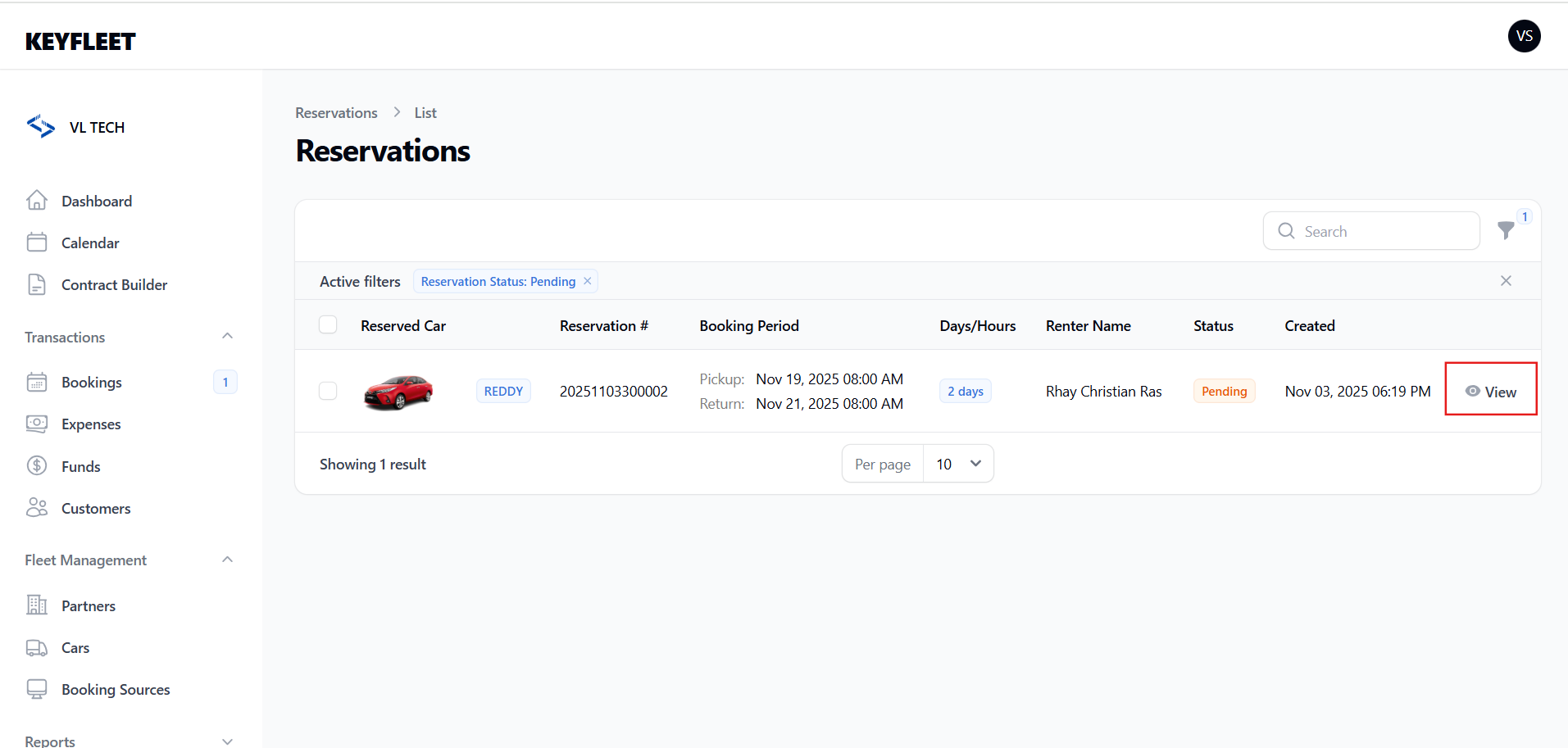
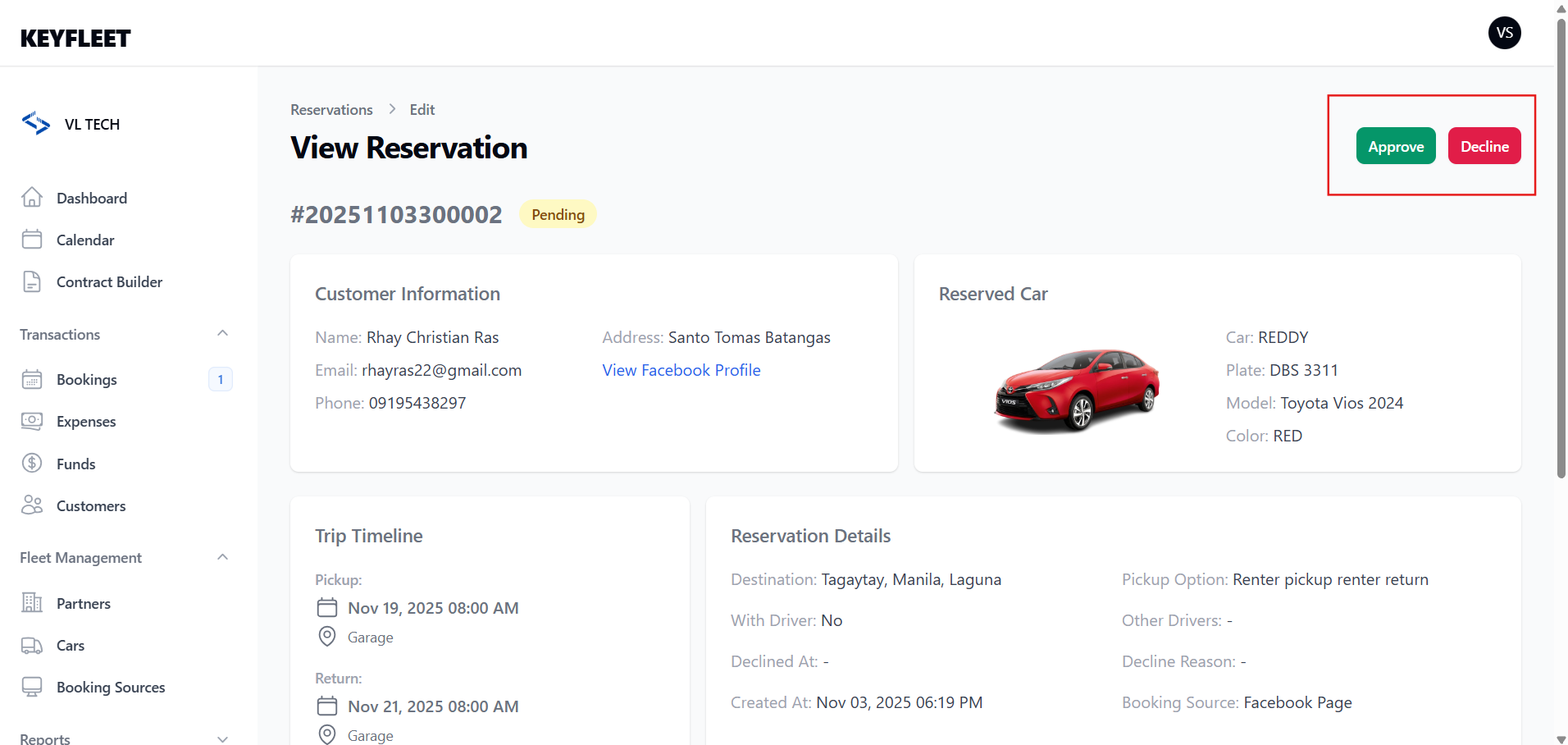
All incoming online bookings will appear here — operators can then approve or decline reservations.
Operators also receive a text notification whenever a new booking request is received.
💰 Approving Bookings
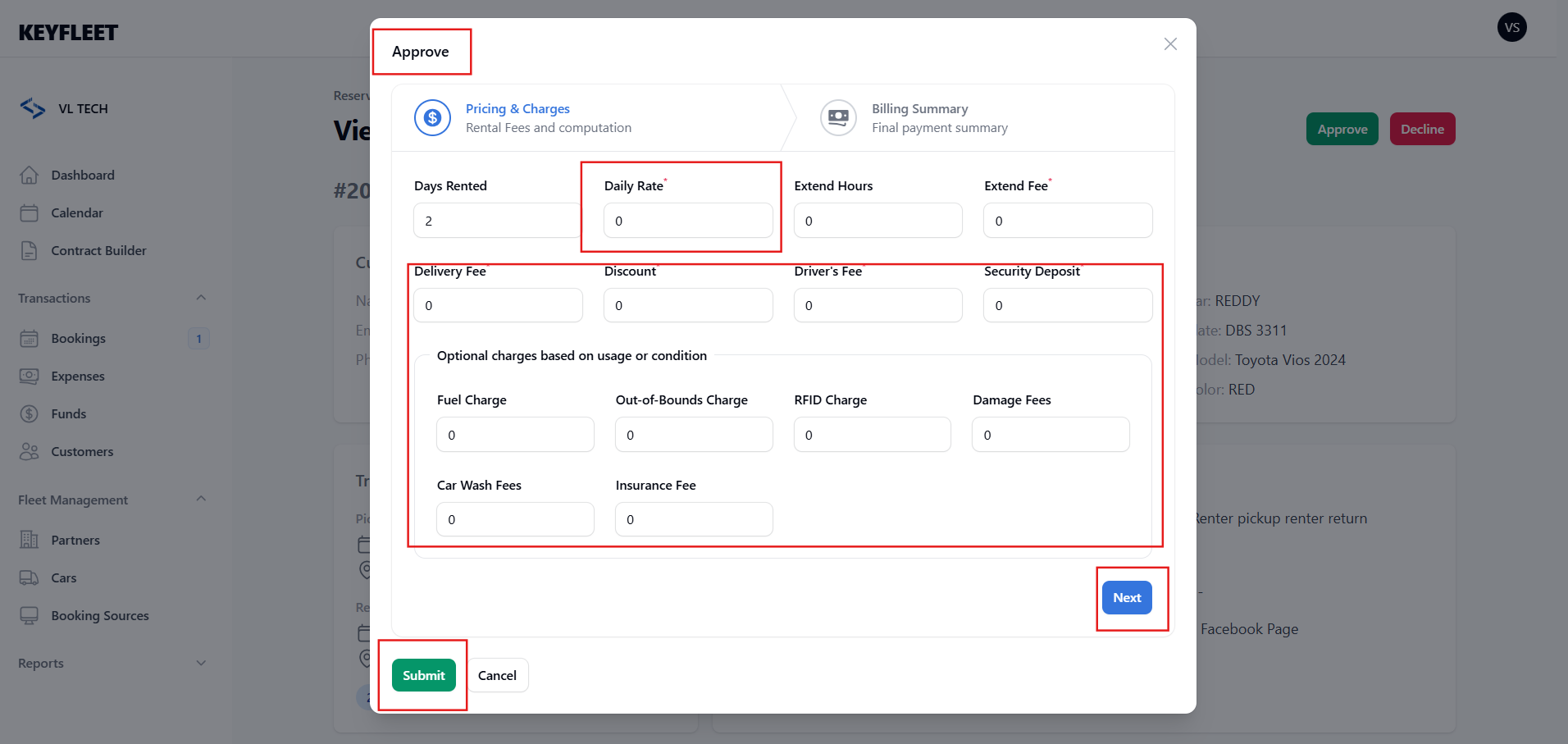
To approve a reservation, simply add the price.
Once a price is set, the booking will automatically display the total amount due.
The renter can then track their booking and download the invoice using the “Track Booking” feature in the Online Booking Form.
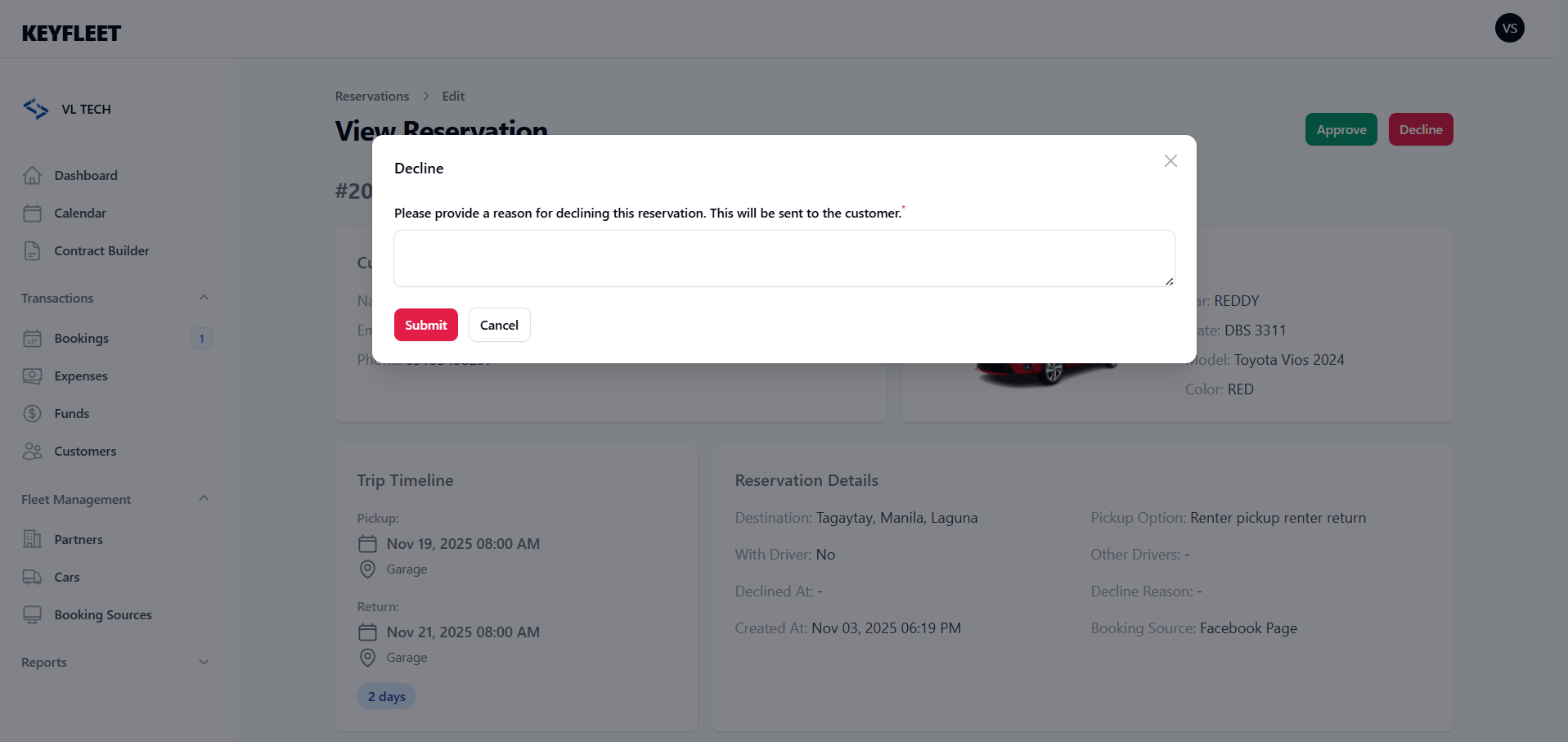
❌ Declined Bookings
If a booking is declined, operators can specify a reason, so renters know what needs to be adjusted or corrected.