Keyfleet Updates
How to use Online Booking Form?

Rhay Ras
November 03, 2025

📘 How to Use the Online Booking Form
The new Online Booking Form in KeyFleet makes it simple and convenient for renters to reserve vehicles online. Here’s a quick step-by-step guide to help your customers get started:
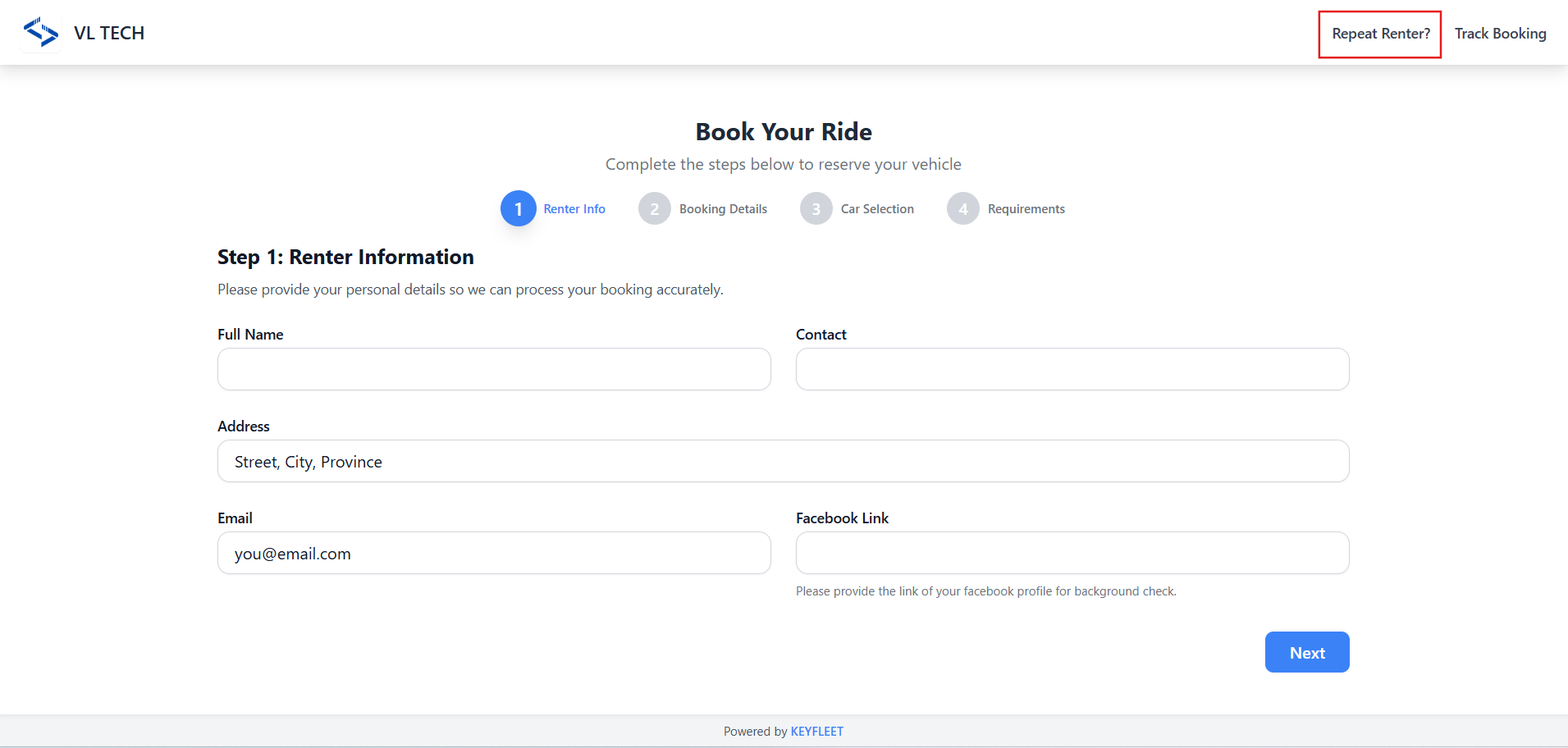
🧍 Step 1: Enter Renter Details
Start by filling out the renter’s basic information:
- Name
- Contact number
- Address
- Facebook profile link
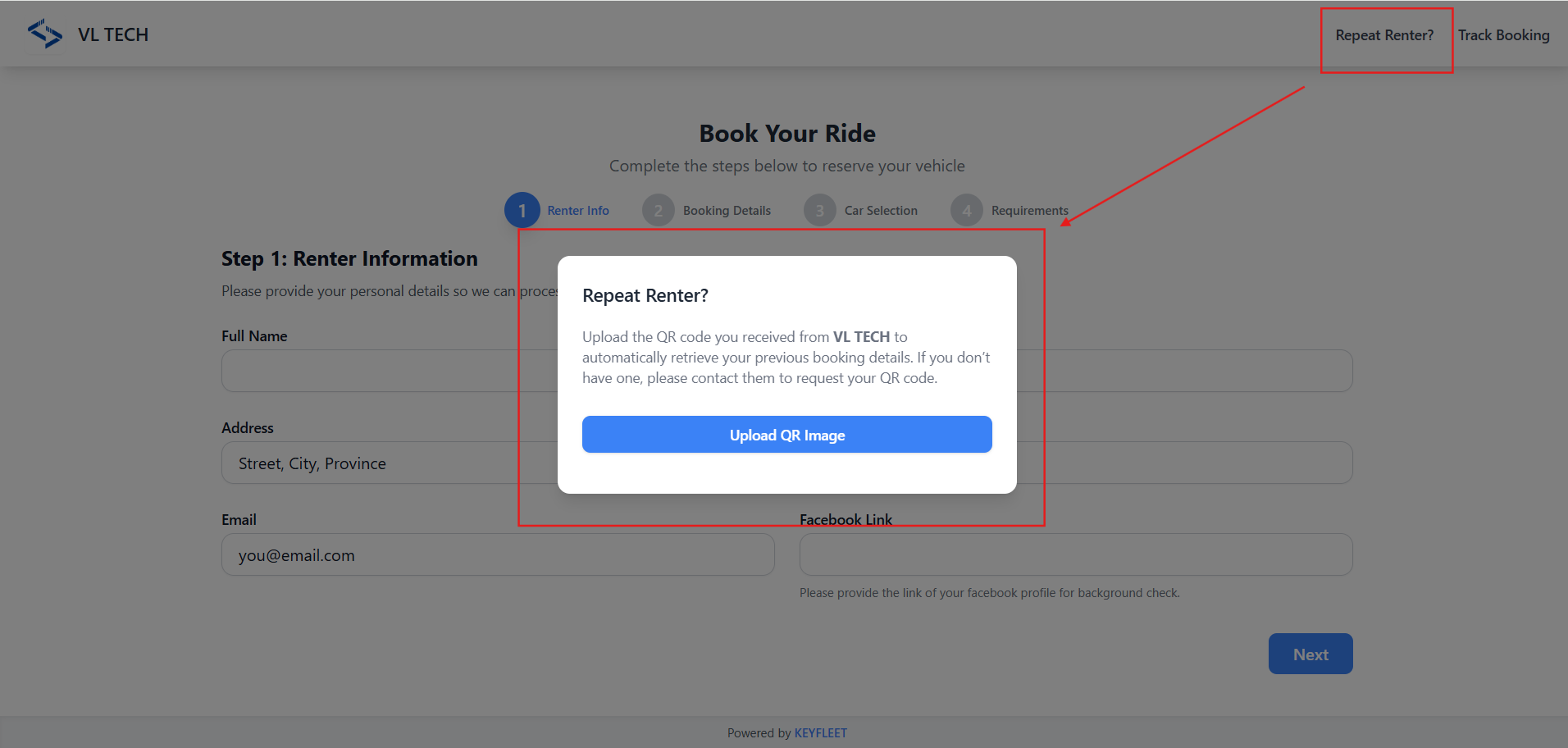
💡 For repeat renters:
Click the “Repeat Renter?” link at the top of the form, then upload the QR code received from your operator during your previous booking.
This will auto-fill all renter details and requirements (if still valid).
📅 Step 2: Booking Details
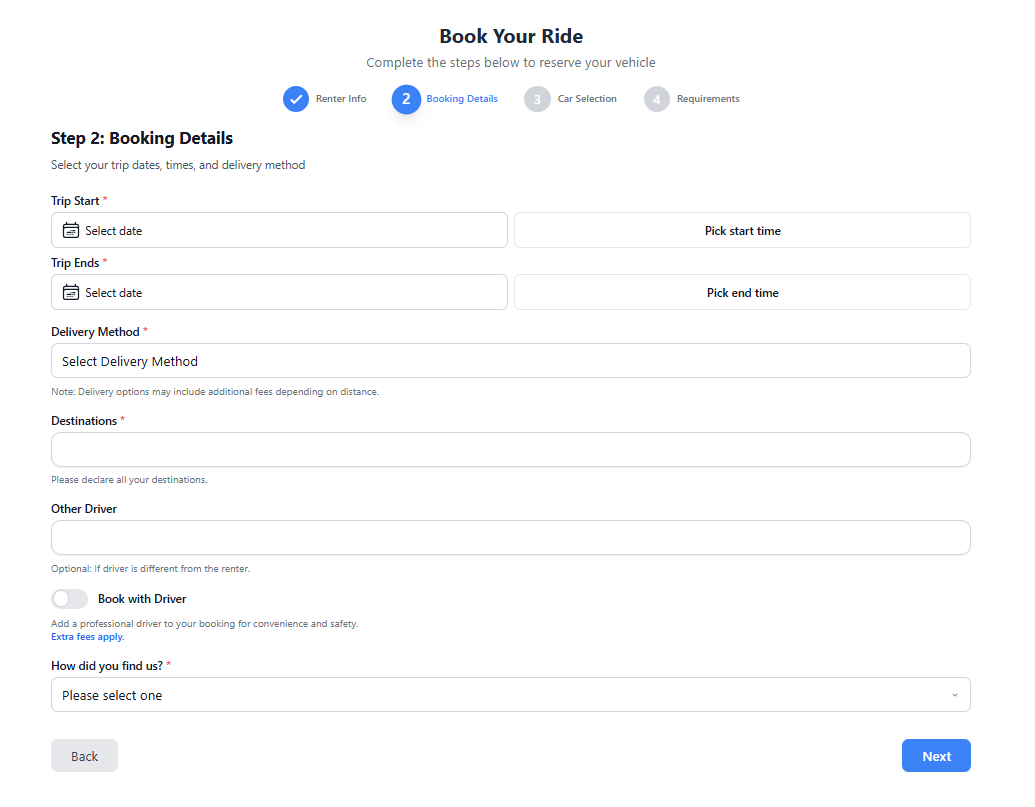
Next, provide your booking information:
- Desired date and time
- Delivery method (pickup or delivery)
- Destination
- Other relevant booking details
Make sure all information is accurate before proceeding.
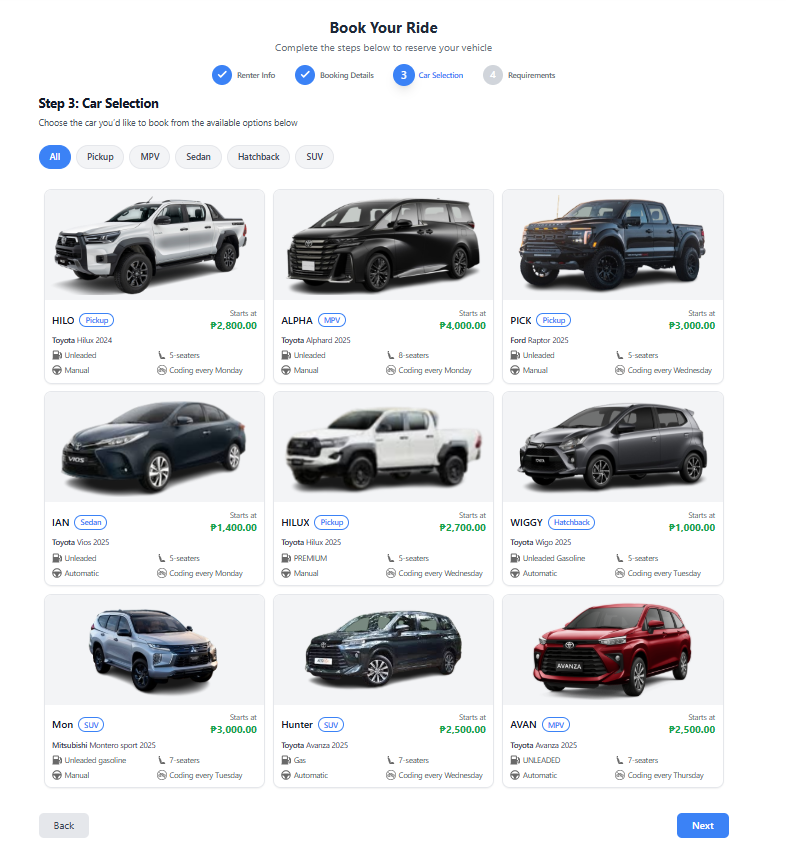
🚗 Step 3: Select Your Car
Choose the vehicle you wish to rent.
Each car displays its important details such as:
- Transmission type
- Gas type
- Coding day
- Starting price, and more.
This helps renters select the car that best fits their needs.
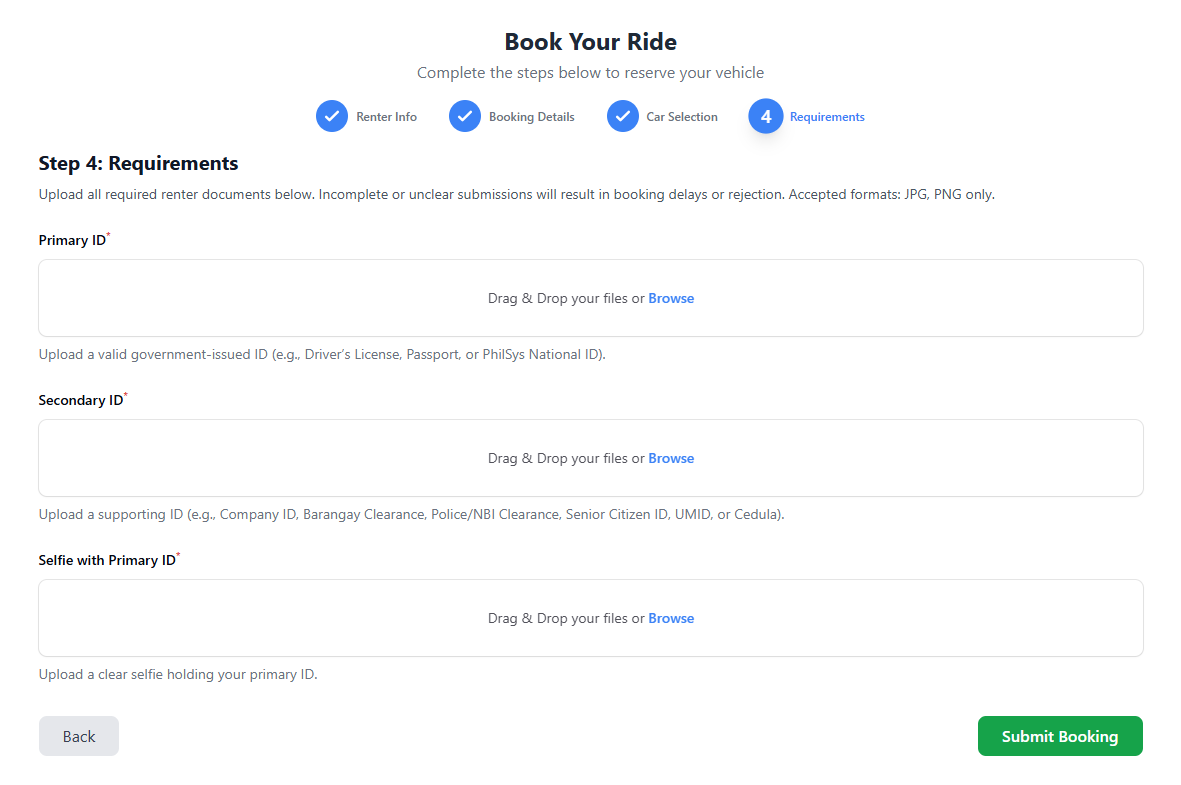
📎 Step 4: Upload Requirements
If this is your first time booking, upload all the necessary requirements as image files (e.g., driver’s license, valid ID, etc.).
If you’re a repeat renter, your previously submitted requirements will automatically load into the form, provided they’re still valid.
✅ Step 5: Submit the Form
After reviewing your details, click Submit to send your booking request.
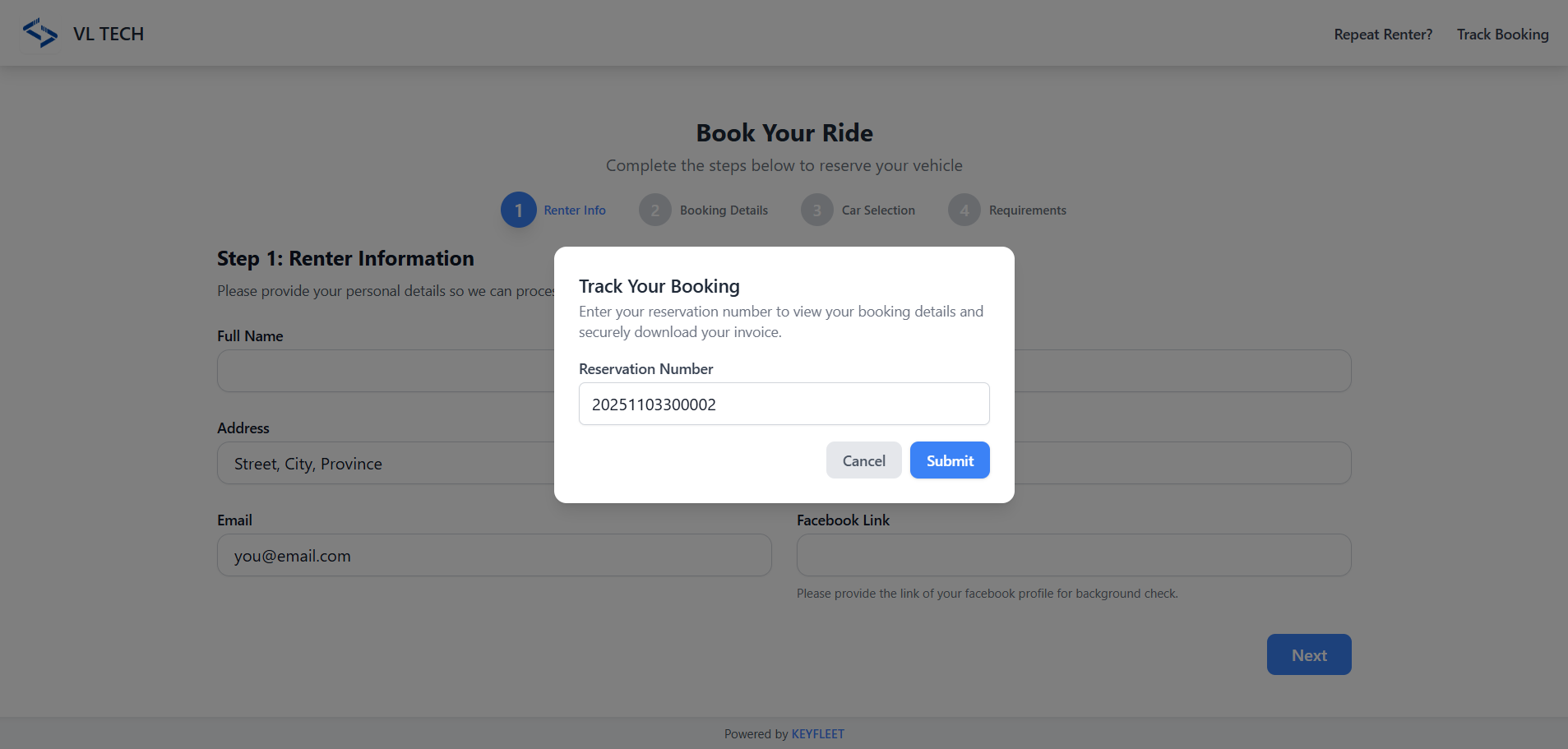
🔍 Step 6: Track Your Booking
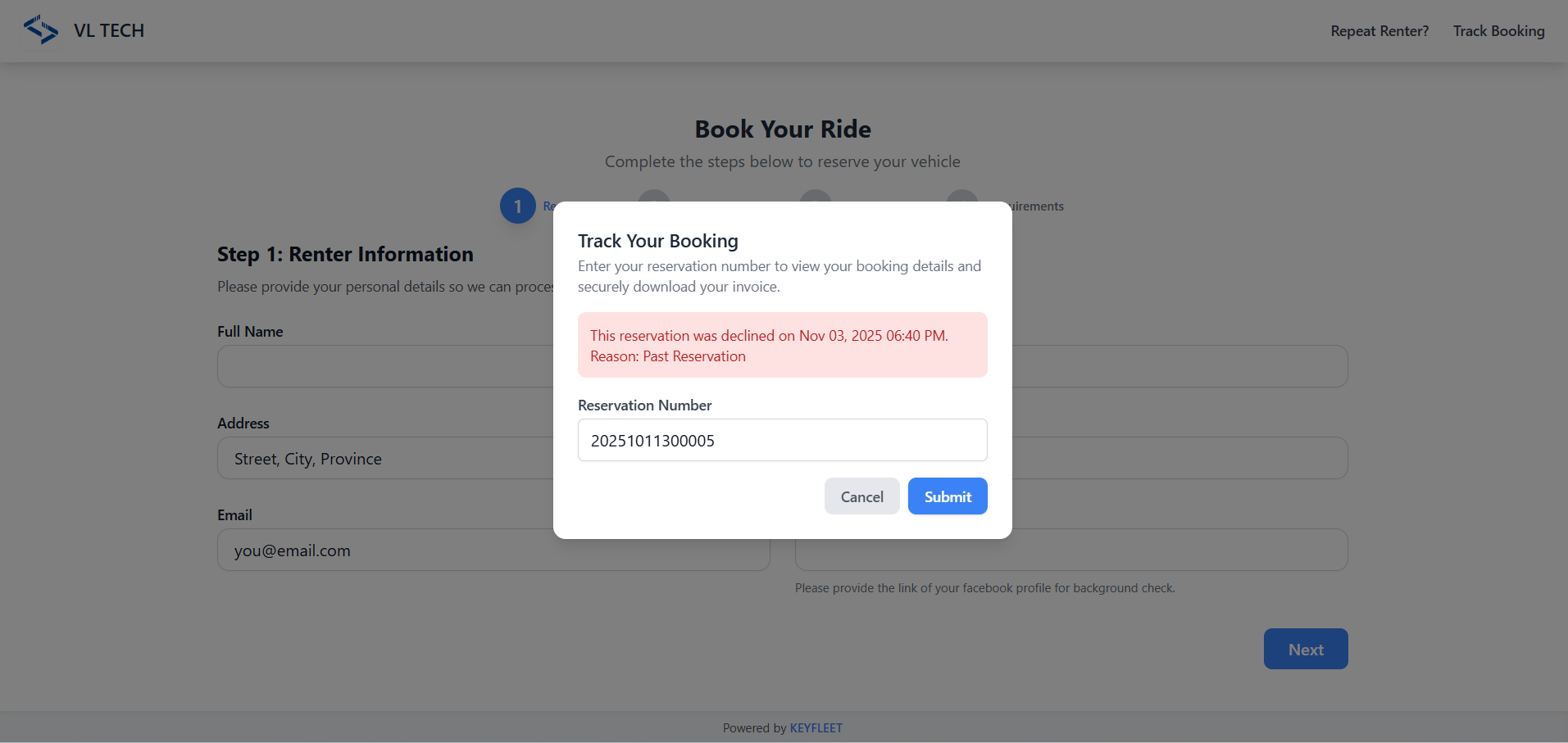
You can monitor your booking status anytime using the “Track Booking” feature within the form.
Simply enter your reservation number, and you’ll see one of the following statuses:
- 🟢 Approved: Your booking is confirmed — you can now download your invoice directly from the form.
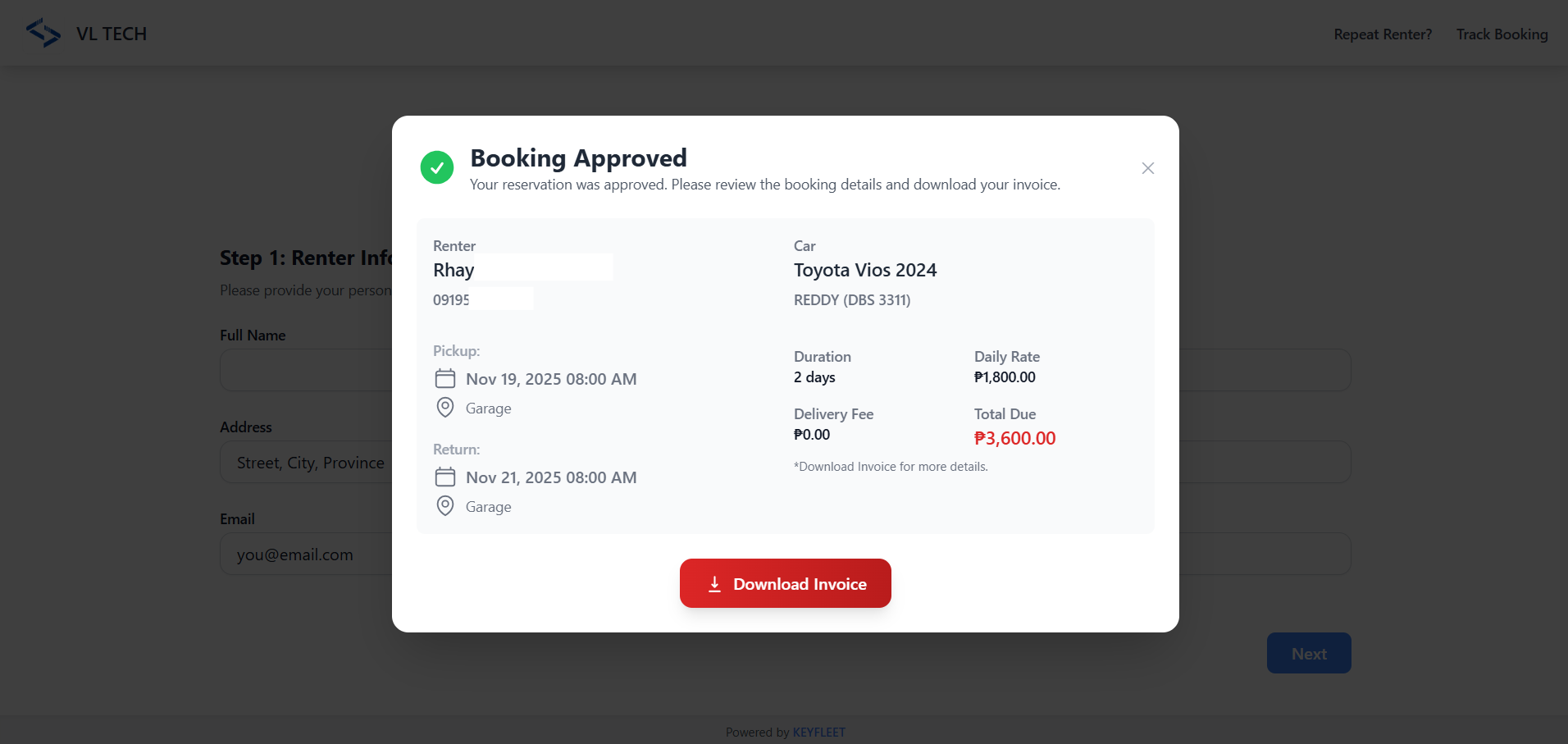
- 🔴 Declined: The system will show the reason for decline, so you’ll know what to adjust before booking again.